
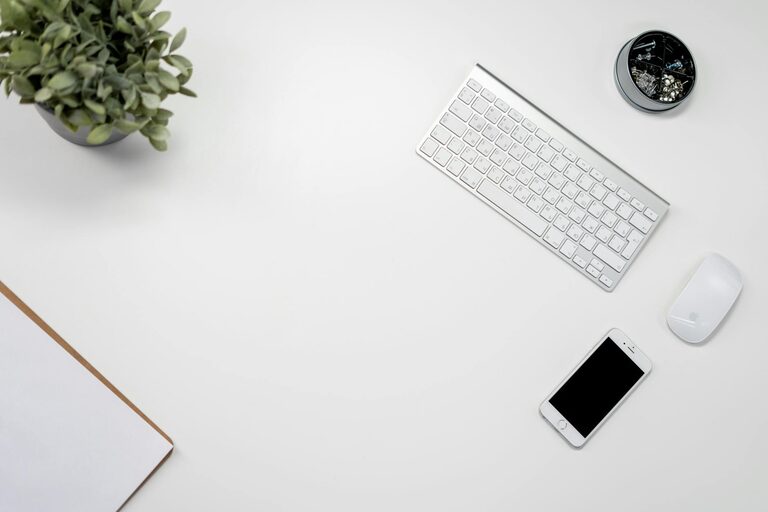
Keeping your phone and keyboard clean is essential for both hygiene and device longevity. These items are touched frequently and can accumulate dirt, dust, oils, and bacteria over time. However, cleaning them improperly can lead to damage. In this guide, you’ll find simple, effective, and safe methods to clean your phone and keyboard without harming their delicate components.
Why Cleaning Your Devices Matters
Phones and keyboards collect grime from daily use. This buildup can:
– Harbor bacteria and germs
– Reduce device responsiveness
– Affect appearance and feel
– Potentially degrade materials over time
Regular cleaning helps prevent these issues, ensuring your devices stay hygienic and in good shape.
—
What You’ll Need for Cleaning
Before starting, gather the following supplies:
– Microfiber cloths (soft and lint-free)
– Isopropyl alcohol (70% or less concentration)
– Distilled water
– Cotton swabs or soft-bristle brushes
– Compressed air canister (optional)
– Mild dish soap (optional)
Avoid harsh chemicals, abrasive materials, or paper towels, as these can scratch or damage your devices.
—
How to Safely Clean Your Phone
Step 1: Power Off Your Phone
Always turn off your device before cleaning to prevent electrical issues or accidental inputs.
Step 2: Remove Case and Accessories
Take off any protective case, screen protector, and unplug accessories to clean each component thoroughly.
Step 3: Clean the Exterior
- Slightly dampen a microfiber cloth with a mix of 50% distilled water and 50% isopropyl alcohol.
- Gently wipe the phone’s surfaces, including the screen, back, and sides.
- Avoid excess moisture—never spray liquids directly onto the device.
Step 4: Tackle Tougher Spots
For sticky areas or fingerprints:
– Use a cotton swab lightly moistened with the cleaning solution.
– Carefully clean around buttons, camera lenses, and charging ports without inserting the swab into holes.
Step 5: Dry Thoroughly
Use a dry microfiber cloth to remove any remaining moisture. Let the phone sit for a few minutes before turning it back on.
Additional Tips for Phone Cleaning
– Clean your phone weekly, especially during cold and flu seasons.
– Use screen protectors to reduce smudges and protect against scratches.
– Avoid using bleach or ammonia-based cleaners.
—
How to Safely Clean Your Keyboard
Keyboards accumulate dust, food crumbs, and oils from fingers, which can affect performance and hygiene.
Step 1: Unplug or Turn Off
Disconnect wired keyboards or power down wireless keyboards before cleaning.
Step 2: Remove Loose Debris
– Turn the keyboard upside down and gently shake it.
– Use compressed air to blow out dust and particles from between the keys.
– Alternatively, lightly tap the keyboard against your palm.
Step 3: Clean the Surface and Keys
- Dampen a microfiber cloth with a mixture of water and a drop of mild dish soap.
- Wipe all key surfaces and the keyboard frame.
- For grime between keys, use a cotton swab dipped in the soapy water, wrung out well.
Step 4: Deep Cleaning of Keycaps (Optional)
For mechanical or detachable keyboards:
- Carefully remove keycaps using a keycap puller or gently with fingers.
- Soak the keycaps in warm, soapy water for 15-30 minutes.
- Rinse and dry thoroughly before reattaching.
Step 5: Dry the Keyboard
Ensure the keyboard is completely dry before reconnecting or using to avoid electrical issues.
Additional Keyboard Cleaning Tips
– Avoid eating over your keyboard to minimize crumbs.
– Clean your keyboard every 1-2 weeks depending on use.
– Never spray liquids directly onto the keyboard.
—
Maintaining Clean Devices Over Time
Keeping your phone and keyboard clean doesn’t have to be a chore. Here are some tips to maintain cleanliness:
– Wash your hands before using devices.
– Keep devices away from food and liquids.
– Use protective covers and screen protectors.
– Regularly clean cases and accessories.
– Store devices in a clean environment.
—
Conclusion
Cleaning your phone and keyboard regularly is a simple yet effective way to maintain hygiene and keep your devices functioning well. By following these safe cleaning methods and tips, you can prevent damage and enjoy a cleaner tech setup every day. Remember, gentle care makes all the difference!
Feel free to share your own tech cleaning tips or ask questions in the comments below!